
Connect Follow Up Boss + Gmail
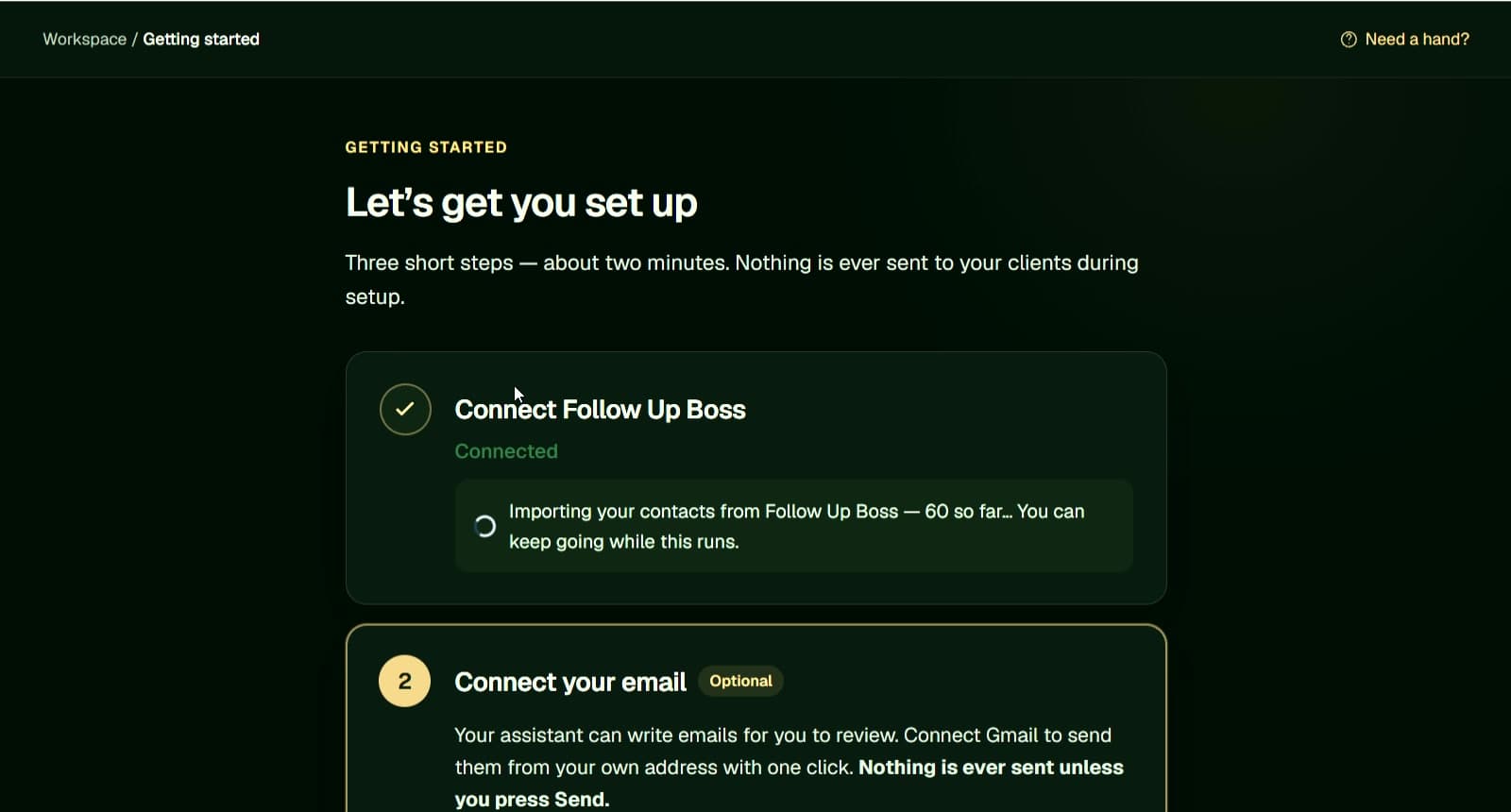
Connect Follow Up Boss and, when you are ready to send, your Gmail account.
FOR REAL ESTATE AGENTS USING FOLLOW UP BOSS
Find clients to follow up with, create tasks, and draft personalized emails.
Works inside Follow Up Boss. Send through Gmail after your approval.
Built for real estate agents and teams using Follow Up Boss. Ask about your contacts, identify follow-ups, and prepare tasks and personalized emails from the client context already in your CRM.
Connect Follow Up Boss and, when you are ready to send, your Gmail account.
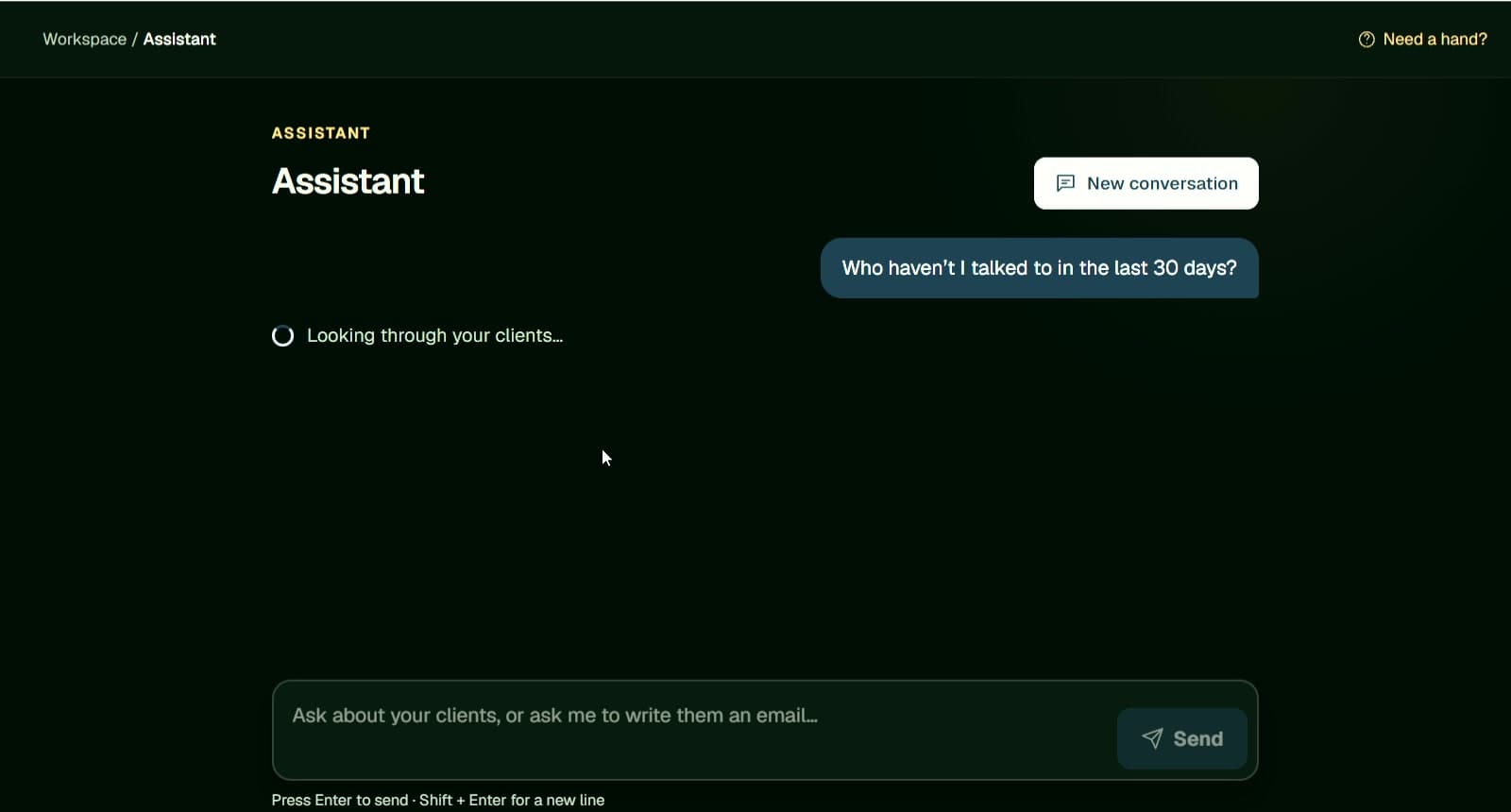
Ask in plain language to find clients who may need a follow-up.
Get a clear follow-up task and an editable email draft. Nothing is sent automatically.
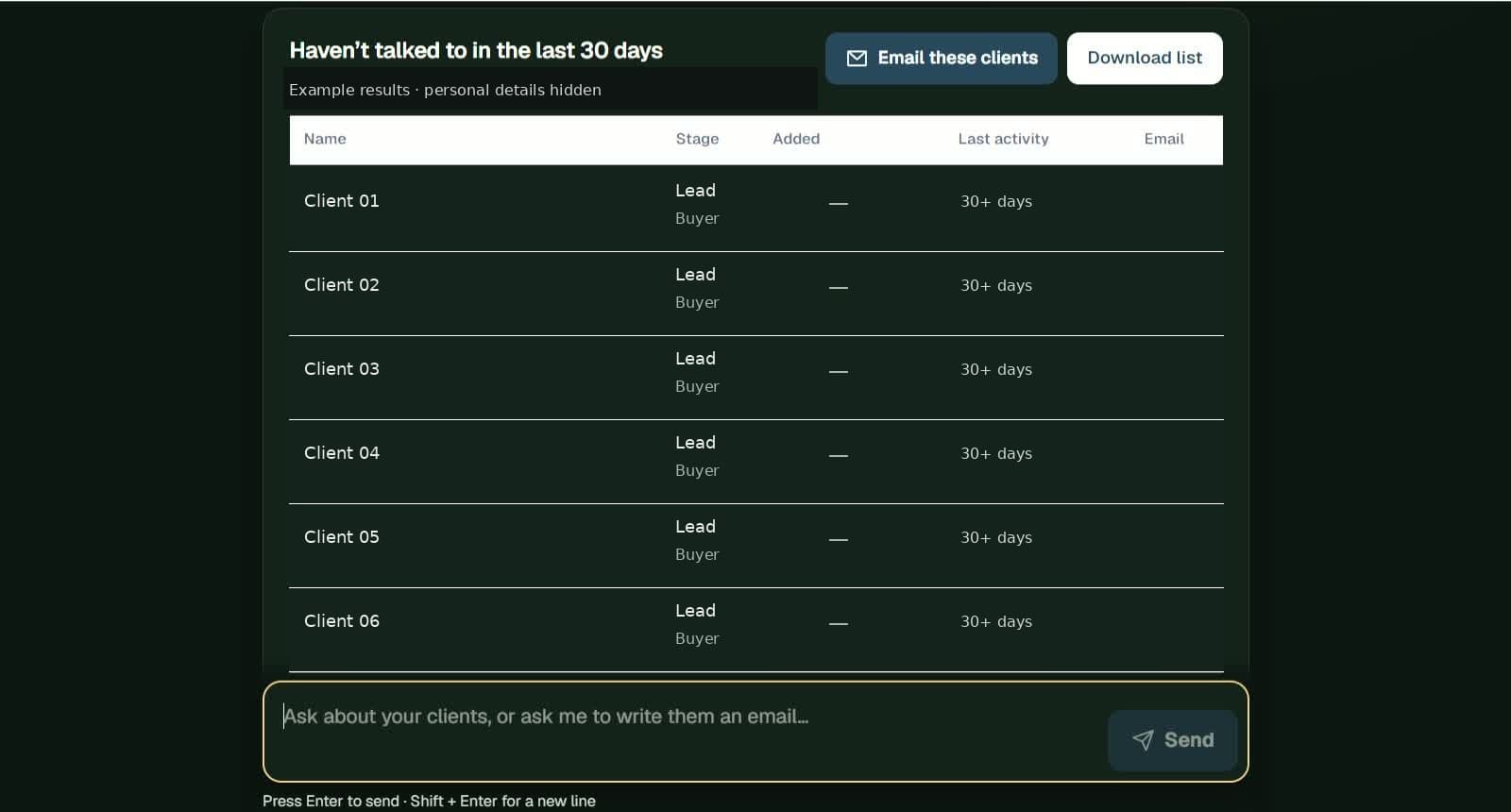
Watch the full walkthrough: connect Follow Up Boss and Gmail, ask who needs a follow-up, review a privacy-safe result, then use the embedded app and confirm the Gmail send.
Your contacts stay in Follow Up Boss
Link your CRM once. Agentic Realtor works alongside the contacts you already manage.
Ask the assistant a simple question and get a focused list to review.
Use recent activity to find people who may need a timely check-in. Review and edit every next step.
See how a lead or client detail moves from Follow Up Boss to a task and an email draft you can review.
Turn client notes into follow-up tasks and email drafts. You review and send.
“Three bedrooms. Moving next month. Check in Friday.”
Next step identifiedIllustrative workflow · Lead sources via your FUB setup · You review and send
Agentic Realtor uses the context you keep in Follow Up Boss to prepare an editable message. You make it yours, then decide whether to send it from your connected Gmail.
Hi Jordan,
I hope you’re doing well. I wanted to follow up on your home search and see when would be a good time to talk about the next properties that fit what you’re looking for.
Looking forward to hearing from you.
Best regards,
Your name
Turn their feedback, priorities and timing into a focused next check-in.
Walk in with their timeline, goals and key details already in view.
Keep a respectful rhythm as life, leases and move dates change.

Every task and email draft is yours to review, edit, approve, and send. Agentic Realtor never sends email automatically.
It reads the notes you keep in Follow Up Boss, helps organize follow-up tasks, and prepares personalized email drafts. You can also ask the embedded assistant about a contact.
Your contact-specific assistant, setup form and actions live inside Follow Up Boss. Use the Agentic Realtor workspace to connect accounts, review AI Actions and manage your account.
No. Email sending requires an explicit action from you. You can review and edit the draft before sending through a connected Gmail account.
No. The Gmail connection requests send-only permission plus basic account identity. It does not read your inbox, email history or Gmail settings.
Create your account, connect Follow Up Boss, and see how Agentic Realtor can prepare your next follow-up.
Get started Explore the product